
After purchasing or requesting a licence for GP-Simulator 2, you will receive an email from GPSPATRON containing your licence details. This email includes important information such as your Licence ID and the type of licence (perpetual or time-limited). Please note that the licence is not activated and is not linked to a specific device until you complete the activation process.
Important: Keep your Licence ID confidential until the licence has been activated.To activate GP-Simulator 2 licence, follow the steps below:
1. Ensure you have an internet connection.
2. Open the GP-Simulator 2 application.
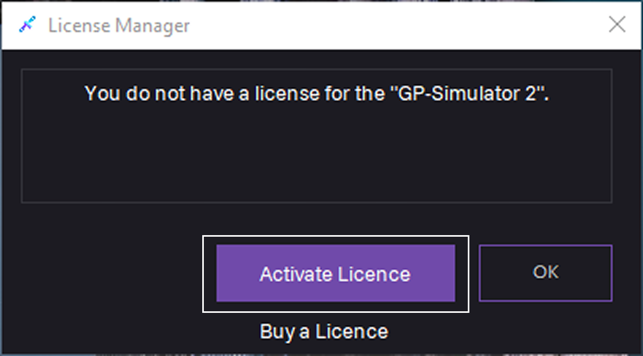
2. In the License Manager dialog, click Activate Licence.
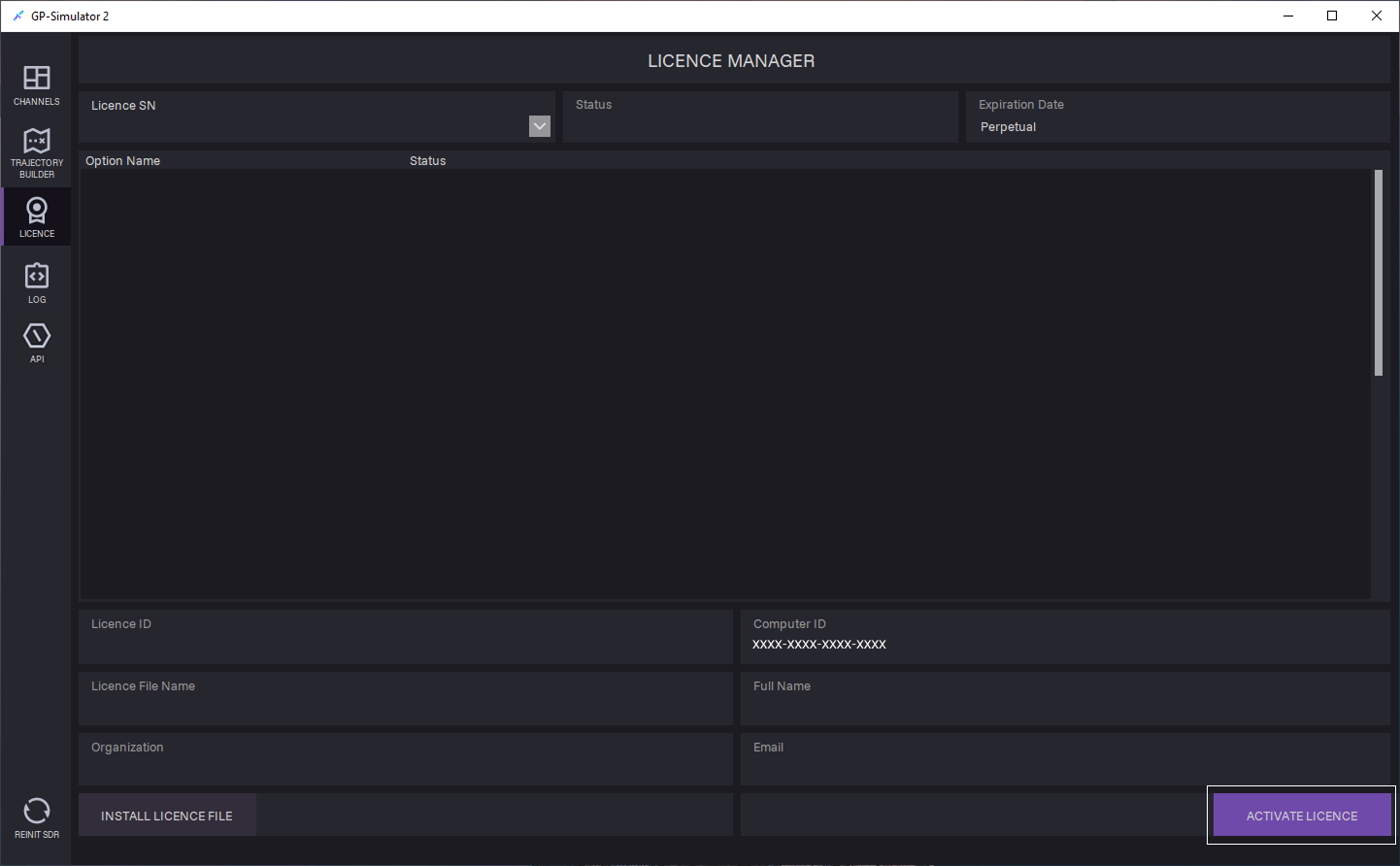
3. On the LICENCE tab, click ACTIVATE LICENCE. GP-Simulator License Registration dialog opens.
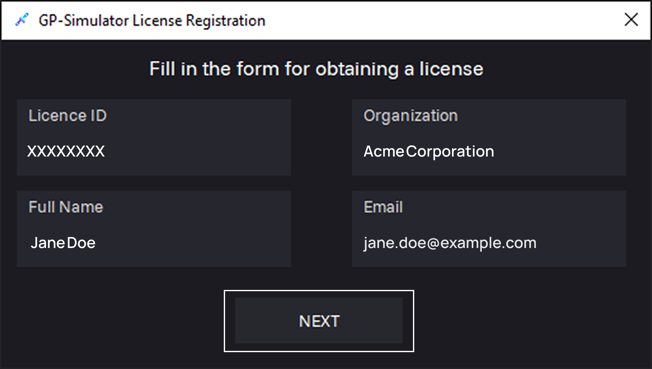
4. Fill in the required fields and then click NEXT:
- Licence ID
- Full Name
- Organization
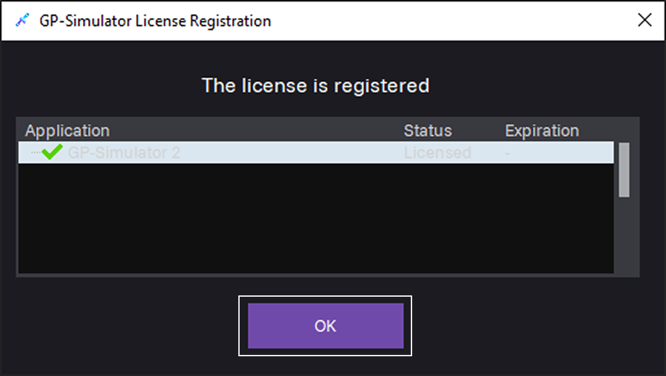
5. Licence is registered, click OK to continue.
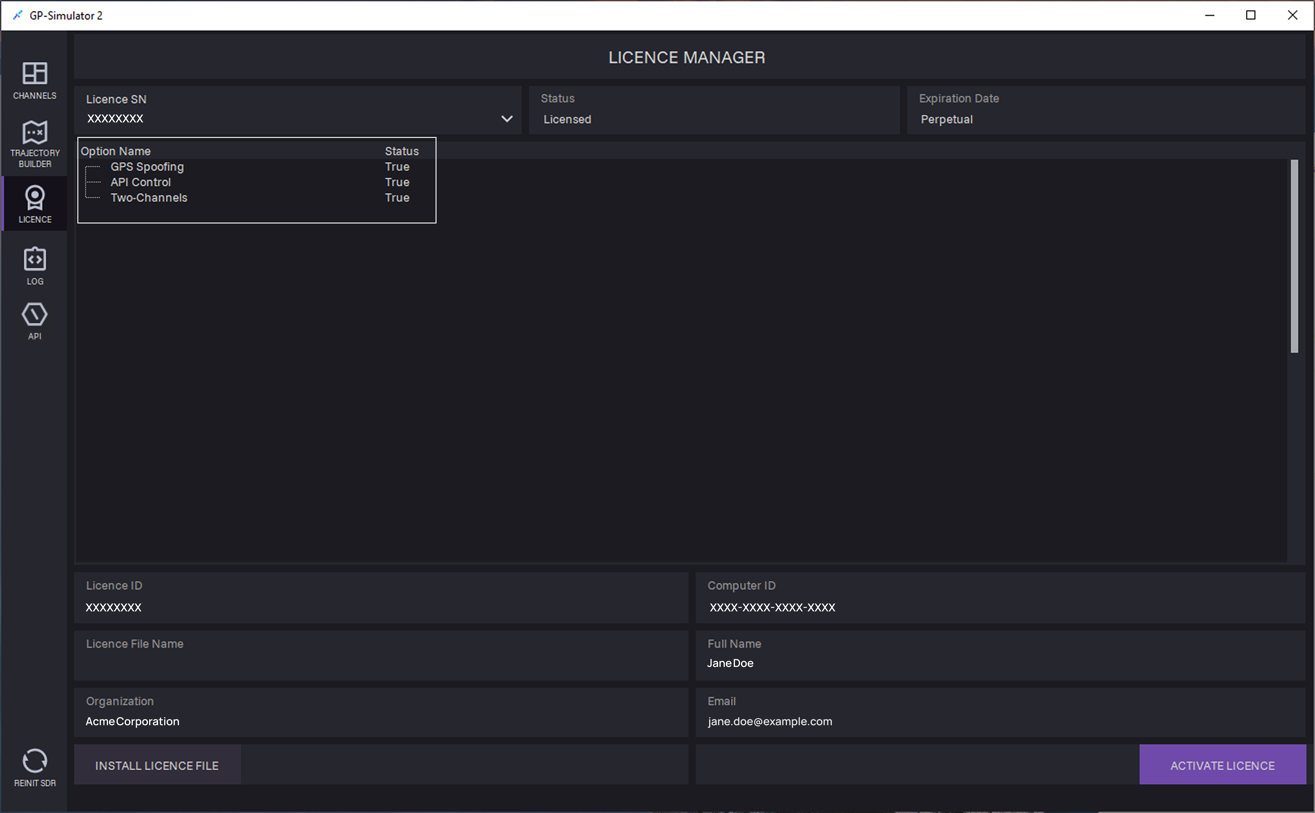
6. Registered licence appears on the LICENCE tab.
Licence activation is complete.
Troubleshooting
If you encounter any issues during the license activation process, contact GPSPATRON support at support@gpspatron.com.