
In some scenarios the GP-Probe Nano L1 detector needs to be used outside the vehicle, for example mounted on the roof of a car. This significantly improves reception conditions and increases detection sensitivity.
However, to monitor measurements in real time, the detector must be connected to a smartphone via a USB cable.
Because the device is used outdoors, the USB connection must be protected from environmental factors such as:
rain and moisture
dust
mechanical stress on the cable
For this purpose, the GP-Probe Nano kit includes a protective cable cap that seals the connector and protects the cable connection.
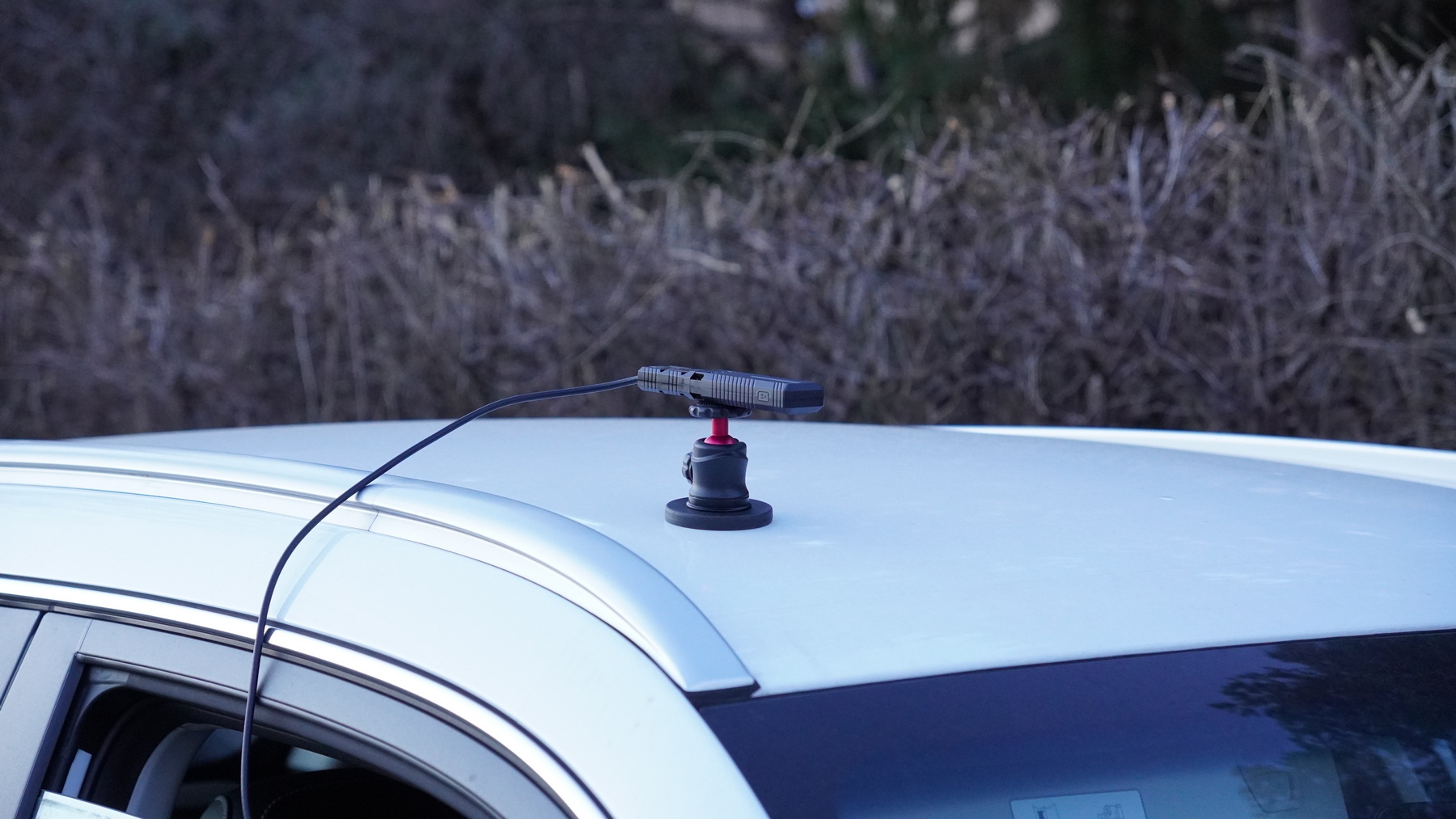
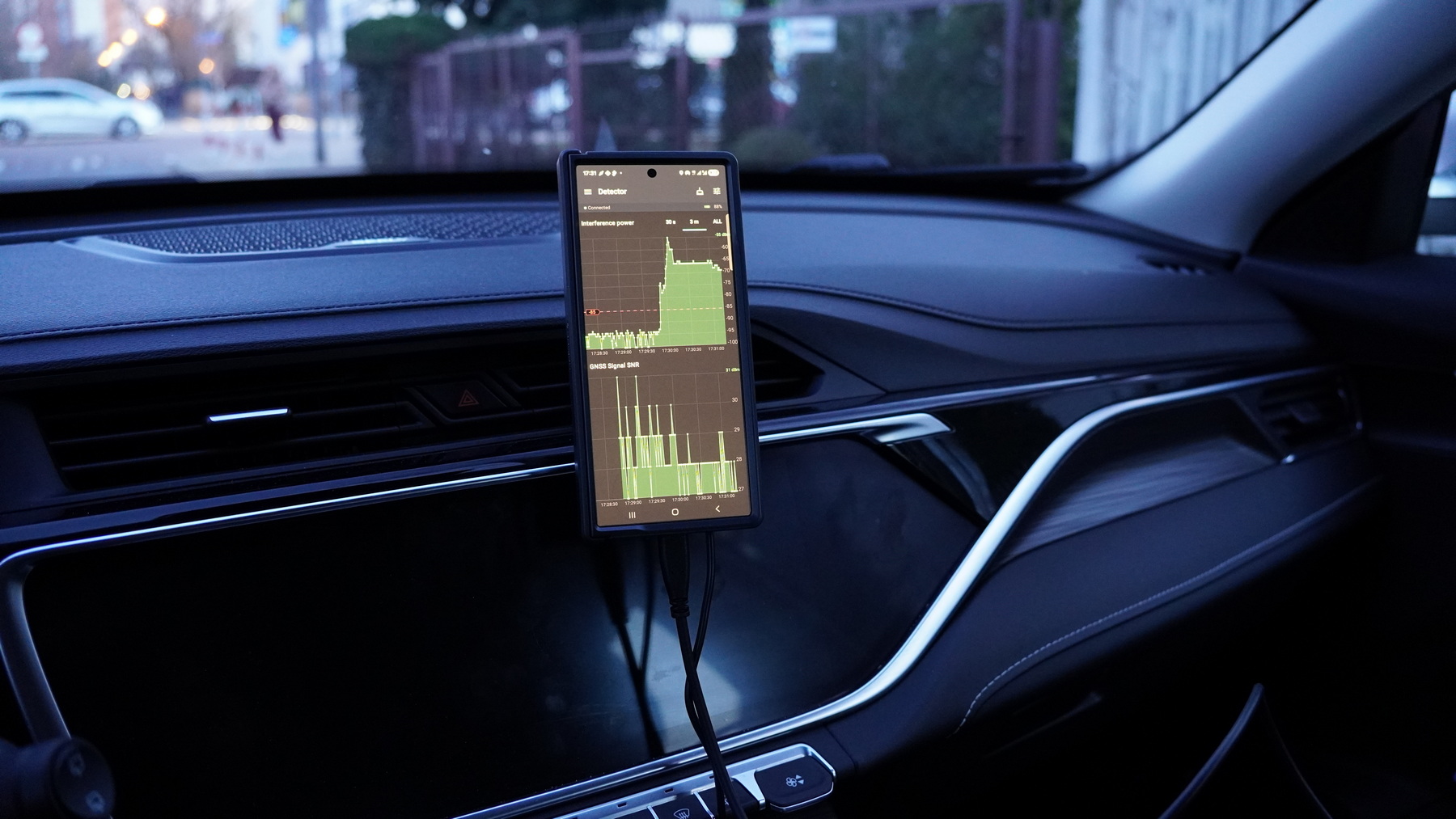
When mounted outside the vehicle, the detector receives GNSS signals with less shielding from the car body, improving detection performance.
Important — Required Extension Cable
To connect the detector to a smartphone, you need a USB Type-C extension cable:
- USB Type-C female → USB Type-C male
The female side connects to the GP-Probe Nano, and the male side connects to the smartphone.
⚠ Important for outdoor use
Use a cable with a fully rubberized outer jacket.
Do not use textile-braided cables, because they:
- absorb moisture
- collect dirt
- degrade faster in outdoor environments
A rubber-coated cable provides better protection against water, dirt, and mechanical wear.
Installing the Protective Cable Cap
Follow these steps to protect the cable connection.
⚠ Important:
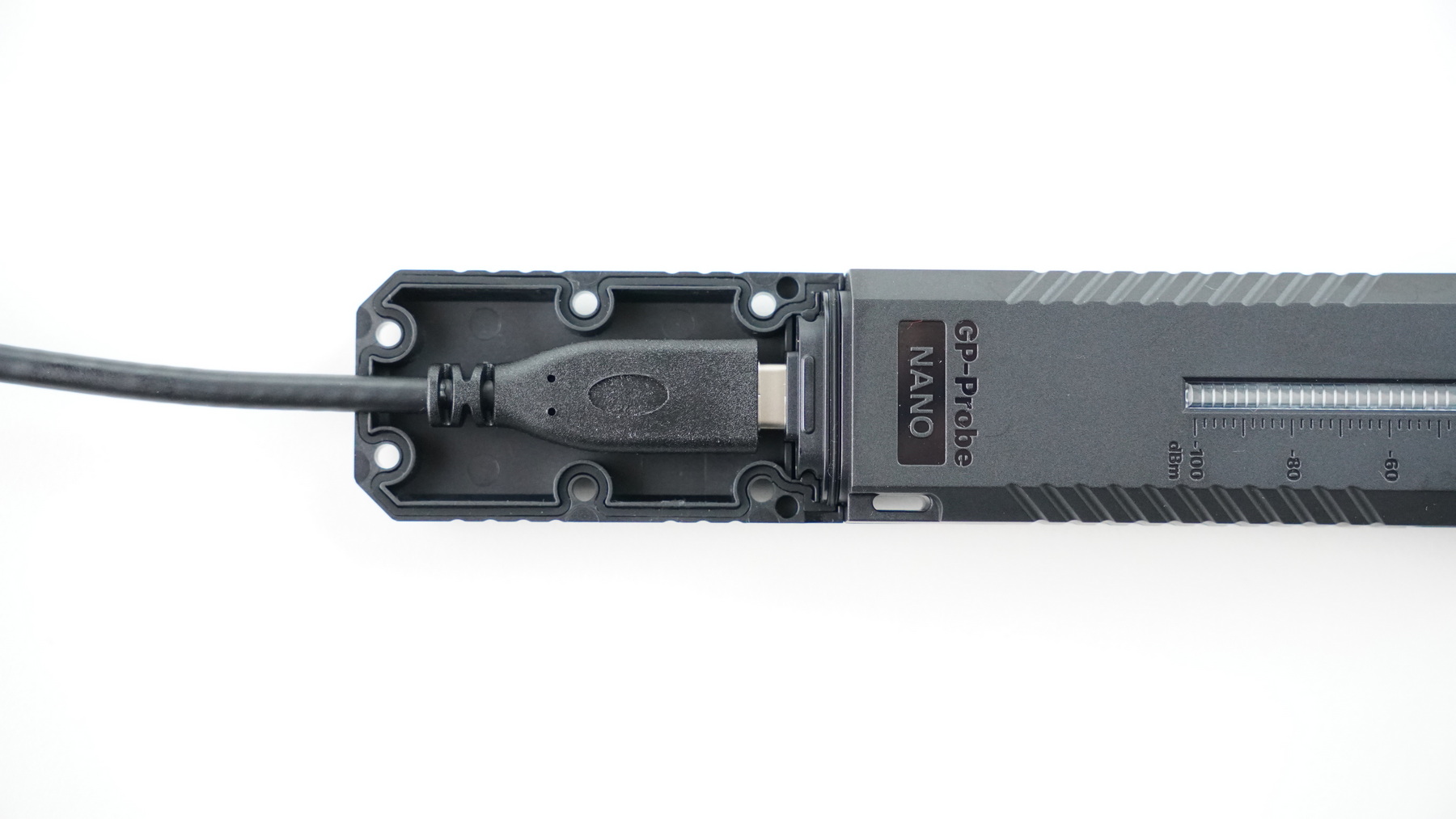
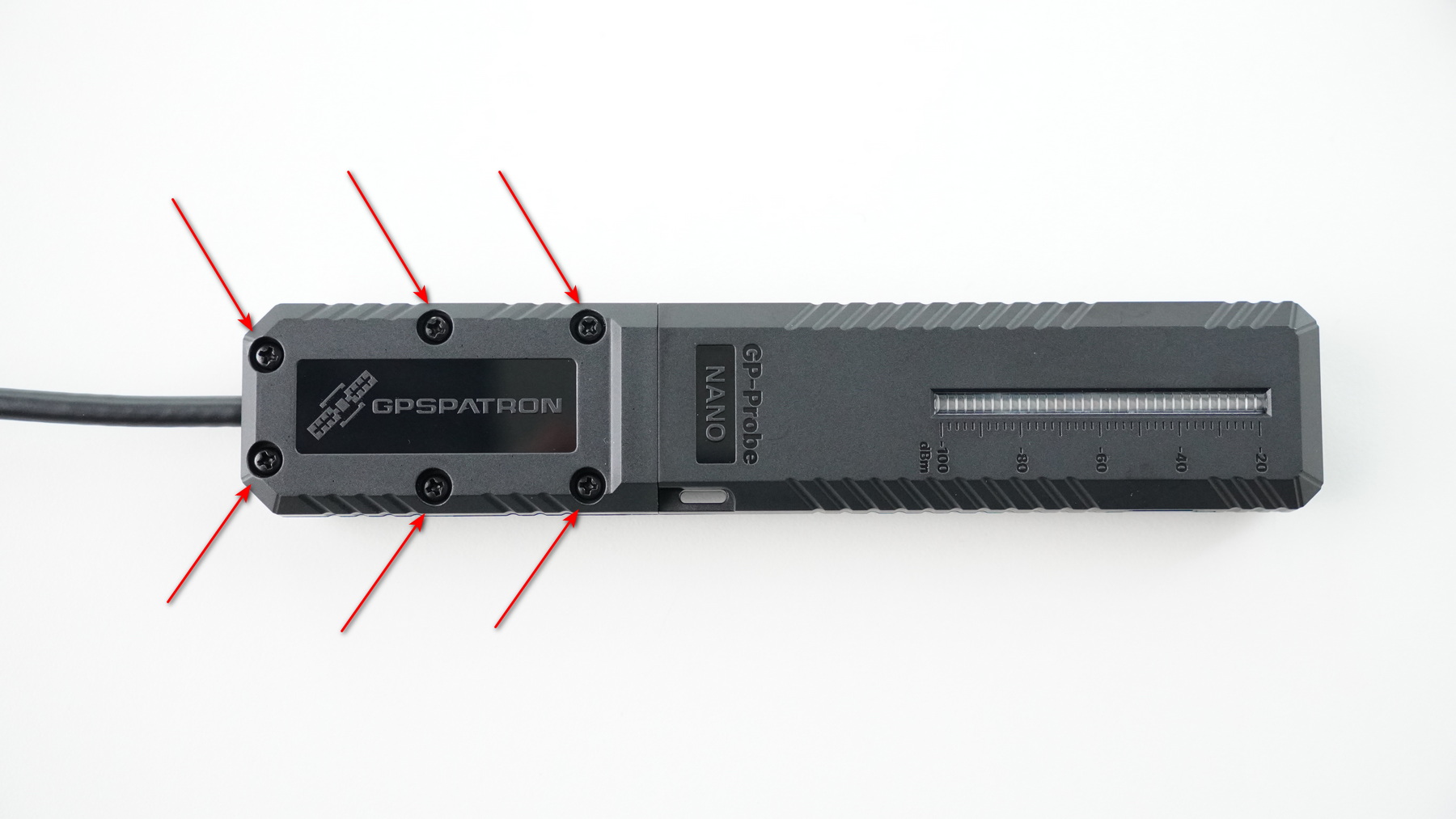
The cap contains sealing elements. Make sure not to lose them during assembly.
Step 1 — Connect the USB Cable and Install the Bottom Part of the Cap
Step 2 — Install the Top Part and Secure the Cap
After assembly, the detector can be mounted using standard ¼-inch mounts, such as:
magnetic roof mounts
suction windshield mounts
tripods or camera mounts
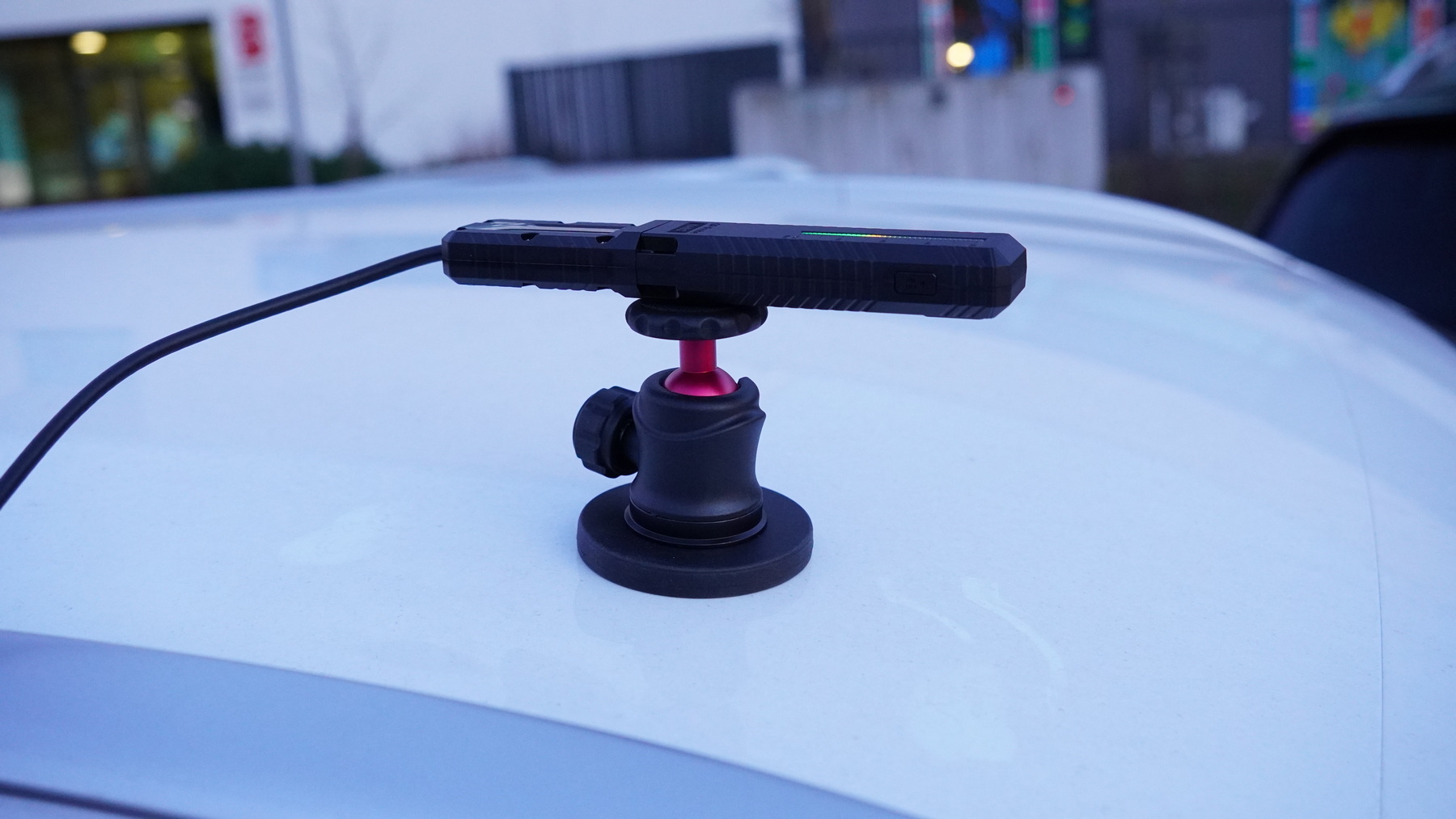
Then connect the USB cable to a smartphone and monitor interference in real time using the GPSPATRON Connect app.